Occasionally you might have come across a requirement where you needed all the list of level zero members under a selected member. Specially it is helpful when you need to create a detailed transaction report for an upper level entity or cost center. For example, If you can generate level 0 members under certain roll up , you would be able to use it against your transaction table. The solution can be achieved different ways. Let us discuss few of them.
SQL Solution: "Start With connect by" With function Connect_by_isleaf
If your hierarchical back-end data is flatten , then your task is much easier. Just join it with transaction table or fact table to get the details. But if your metadata is in a table in parent child format then you need to use Oracle "start with connect by" to get your level 0 data. The query could look like this:
Select Member_name
From ( Select Member_name, Connect_by_isleaf Is_leaf
From Period_dimension
Start With Member_name = :Member_name
Connect By Prior Member_name = Parent)
Where Is_leaf = 1
Clearly, for this to work you need to have your database table in sync with Essbase hierarchy. Which always may not be the case.
OBIEE Solution:
In OBIEE, one can actually connect to Essbase to get the metadata information and then pass it to relational database with the help of OBIEE feature "is beased on another Analysis"

Here in the screenshot EntityLev0 is an analysis that uses presentation layer variable. That variable will pass our upper level member to EntityLev0 analysis and will produce all level 0 members below it.
Now how to generate such report ?
Solution 1: Generating Level 0 members in OBIEE dynamically with MDX and 'Evaluate' Function.
The following will generate all the level 0 members of Entity dimension. Notice how you can manipulate Evaluate function by commenting out parameter requirement.
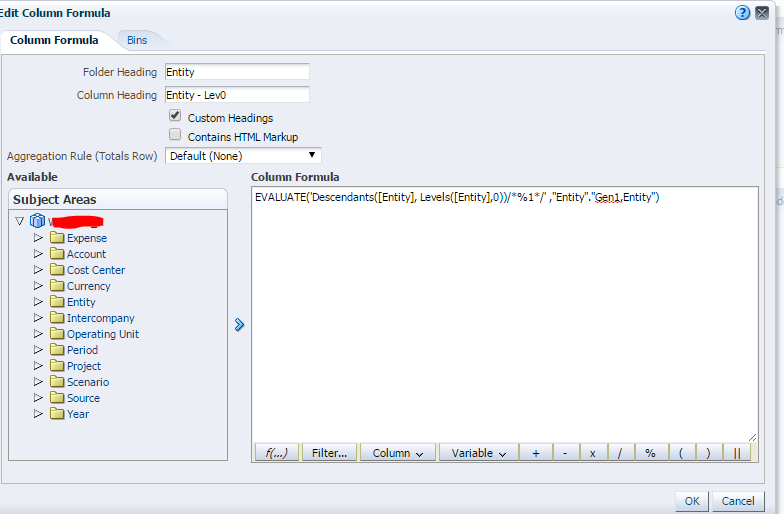
Now you can easily make it parameterized by using a presentation layer variable. like
EVALUATE('Descendants([@{PV_Entity}], Levels([Entity],0))/*%1*/' ,"Entity"."Gen1,Entity")
But there is a problem. This will give you member alias not member name in our current set up.
Unless you set your cube to display member_name like below.

Is there a way to get member name not alias when display column is set to display Alias? Most likely not with Evaluate. Mainly because member name is an intrinsic property of a member. Evaluate works with MDX functions and there is no mdx function available to get the member property. I will be happy to be proved otherwise.
So, if you need list of level 0 member name , next one is the solution that you are looking at....
Solution 2: Dynamically get list of level 0 members for any higher level member with MEMBER_UNIQUE_NAME
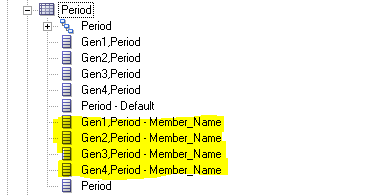
Step 1) Update RPD to get a flatten OBIEE column with essbase member name (not default alias)
I have wrote about this in my last blog. Read it here
Step 2) Create an analysis which would look like this:

* "Period" above is the flatten member name available for all members.
** {YearTotal} is default value. I normally put my generation 2 member as default. It helps to test the report. If you don't put a default value it fails in the result section of the analysis but works fine in dashboard.

So, Finally use it in your transaction details report .....